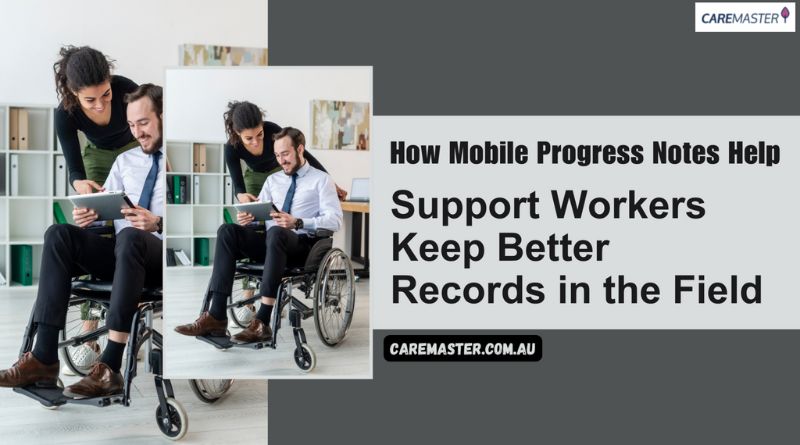
Keeping strong records is part of good care, not just paperwork. For support workers in disability and aged care services, the way case notes are recorded can either make things clearer-or messier-for everyone involved. That’s where mobile progress notes come in. Rather than waiting until the end of the shift or heading back to a computer, workers can document things in real time, on the go.
This shift isn’t just about convenience. It’s about safer care, clearer communication, and stronger accountability. With mobile note-taking now built into modern Aged Care Software, support workers are better equipped to record what really matters-right when it happens.
What Are Progress Notes, and Why Do They Matter in the Field?
Progress notes are the running history of care. They show what support was provided, when, and by whom. For people with disability or older clients, these notes explain shifts, changes, challenges, and achievements-both big and small.
They also help services:
- Track how participants are going with their goals
- Communicate clearly across different staff
- Provide evidence of support delivery for audits and NDIS claims
Without reliable notes, key details can get lost. Something as small as a missed update about a medication, behaviour, or cancelled appointment can throw things off track for the next worker-or the whole team. That’s why mobile access to note-taking features is becoming a core part of aged care software and disability service systems.
What Challenges Do Support Workers Face When Writing Notes After a Shift?
Support workers juggle a lot-appointments, travel, documentation, and participant needs. Writing notes at the end of a shift sounds fine in theory, but in practice, it often means:
- Forgetting small but important details
- Writing vague summaries hours after the fact
- Losing notes written on paper or sent via messages
- Needing a computer just to enter one update
- Delayed uploads when internet access is patchy
These delays can lead to gaps in service records, missing information for claims, and extra admin stress for team leaders and coordinators.
How Does Mobile Note-Taking Change Things for Support Workers?
With mobile access to progress notes, support workers can document as they go-during or straight after a visit. This improves accuracy and makes the process less stressful.
Key features in mobile note-taking apps like CareMaster include:
- Easy dropdown categories (e.g., Medication, Family Contact, Behavioural Support)
- Notes saved as drafts before final submission
- Offline mode for low signal areas
- Time-stamped entries linked to shifts
- Attachment of media files (photos, scanned forms, etc.)
- Ability to mark priority or sensitive notes
This matters because front-line staff often need to capture information quickly while staying present with the person they’re supporting. Mobile notes reduce the risk of double handling and let workers focus on people-not paperwork.
What Kind of Information Can Be Recorded Directly Through Mobile Apps?
Progress note systems have come a long way. Today’s mobile-friendly aged care software lets support workers do more than just write a quick sentence.
Here’s what they can typically add right from their phone:
| Mobile Entry Option | What It Covers |
| Categories | Tag notes (e.g., Medication, Phone Call, Incident Report) |
| Activities | Link support type (e.g., Community Access, Personal Care) |
| Goal Tracking | Align support with participant goals |
| Media Attachments | Add photos, forms, or PDFs to support the note |
| Time Logs | Record start and end times, auto time-stamped |
| Flags & Visibility | Mark notes as favourites or private |
| Drafts & Submissions | Save notes mid-shift and finish later |
| Linked Bookings | Attach notes to shifts or appointments |
All entries are securely logged, and editing is restricted to admin users to protect record accuracy.
What Can Admins Do With These Notes Once Submitted?
Once submitted, notes don’t just sit there-they become part of a larger record system. Through platforms like NDIS Rostering Software, admin users can access these notes, verify them, and use filters to generate reports.
Admins can:
- Search by participant, worker, service type, or date range
- Export notes to PDF or CSV for audits or family communication
- Group notes by goal or category (e.g., “Medication” or “Incident”)
- View only billable or goal-linked supports for NDIS claims
- Backdate or attach notes to future appointments
- Restrict visibility where needed (e.g., mental health-related notes)
Because editing rights are limited to admin users, providers can also maintain a clear audit trail; every change is tracked with time stamps and user IDs.
This feature set is particularly useful when used in sync with NDIS rostering software, where each case note automatically aligns with scheduled support blocks. This ensures care records and rosters always match.
How Does This Link Into Bigger Systems Like Billing, Audits, and CRM?
Mobile notes do more than record care-they help run the whole service. When progress notes are synced with rostering and CRM systems, they support faster invoicing, stronger compliance, and better outcomes.
With integrated systems like NDIS CRM software, mobile notes can:
- Trigger billing steps (based on hours worked or support type)
- Track goals and supports for plan reviews
- Flag risks or missed services for team attention
- Reduce time spent chasing paper trails
Because everything is linked-from participant profiles to shift data to individual notes-admin teams can prepare reports quickly and with confidence. Whether it’s for an NDIS audit, family request, or internal review, records are cleaner and more consistent.
What Makes This Easier Than Traditional Note-Taking Methods?
Traditional method:
- Notes written at the end of the day or on paper
- Delays between care and documentation
- Risk of errors or forgotten details
- Higher admin time for support workers
Mobile-first method (with platforms like CareMaster):
- Real-time note entry from the field
- Pre-filled categories and filters
- Auto timestamps and linkage to bookings
- Admin-level edit control and audit logs
- Access across NDIS rostering software and CRMs
With mobile-enabled note-taking built into your aged care software, support workers can stay focused on what matters, supporting people with clear, timely, and professional records.
The Smallest Entry Carries the Most Weight!
Progress notes are part of the work. They record what happened, when it happened, and who was involved. These notes carry responsibility. They give structure to follow-up care, support accountability, and hold the details that others may need later.
When case notes are written clearly and at the right time, they stand as a record of real action. Mobile tools make this task more immediate and accessible. Each entry supports the service, the participant, and the worker behind it, without delay, without confusion, and without missing pieces.