Key Takeaways
- Begin with a user problem, not an oversized feature list.
- Choose the smallest prototype that can test your biggest assumption.
- Build one complete user journey before expanding the product.
- Use real user feedback to separate usability issues from personal preferences.
- Review reliability, privacy, permissions, and security before sharing broadly.
- Use prototype findings to decide whether to revise, retest, or run a limited pilot.
An app prototype is a focused way to test whether an idea helps someone complete an important task. Instead of spending early effort on every possible screen, feature, and integration, create a version that lets people try the central experience. Tools such as an AI code generator can help turn a detailed concept into a working test version faster, but the product decision still depends on the problem you choose to solve and the feedback you collect.
The goal is not to make the prototype look like a finished app. The goal is to learn what users understand, where they hesitate, and whether the proposed outcome is worth pursuing. A clear, testable prototype gives a team evidence before it commits more time, budget, and technical effort.
Define The Problem Before The Product
Start by identifying a specific person, situation, and desired improvement. A useful problem statement follows this pattern: “When [user] faces [problem], they need [better outcome].” For example, when a small field-service team schedules jobs via text messages and spreadsheets, it may need a single, reliable view of appointments, assigned workers, and changes.
This framing prevents a common mistake: treating a feature list as a product strategy. Features are possible responses to a problem. The prototype should test whether the response actually makes the user’s task easier.
Choose The Right Prototype Type
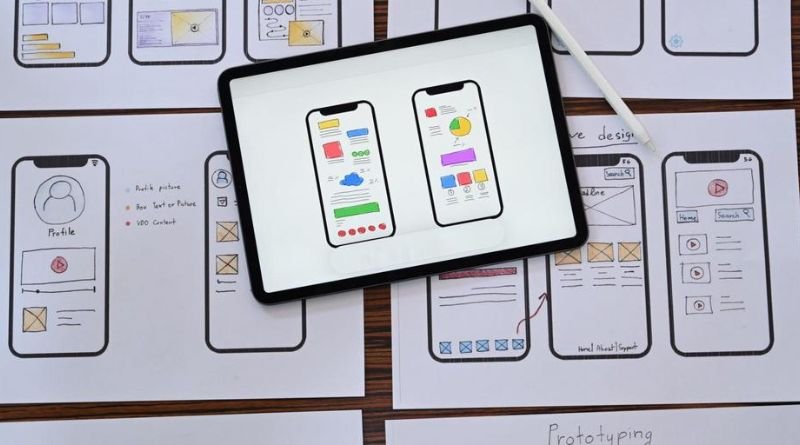
Different prototype formats answer different questions. Software prototyping can range from incomplete models that demonstrate a concept to more functional versions that let users try a workflow.
- Paper sketch: Best for exploring screen order, labels, and basic ideas quickly.
- Clickable mockup: Useful for testing navigation, page hierarchy, and expected interactions.
- Functional prototype: Appropriate when you need to test a real action, such as creating an appointment or uploading a file.
- Minimum viable product: A limited live product intended to deliver real value to a small audience.
Begin with the simplest format that can expose the greatest risk. If the biggest question is whether users understand the navigation, a working payment system is unnecessary. If the biggest question is whether a complex calculation produces a useful result, a functional prototype may be necessary.
Map The Main User Journey
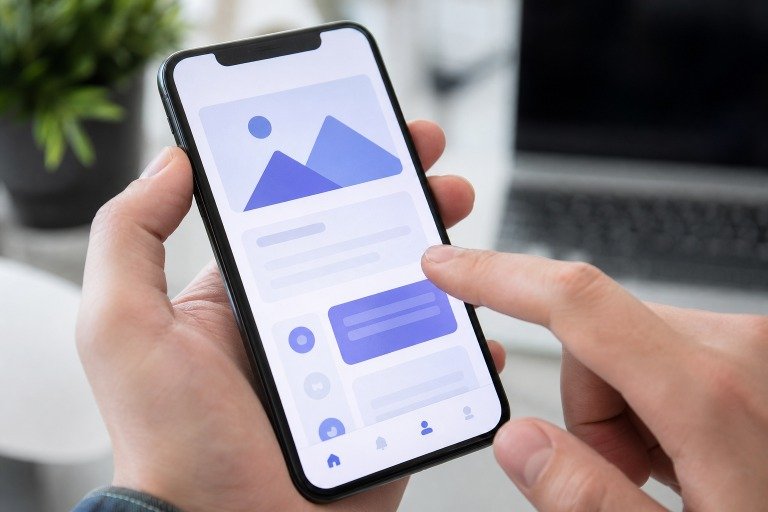
Define one path from the user’s first action to a meaningful result. For a service scheduling app, that path might be: sign in, view open jobs, assign a worker, confirm the appointment, and notify the customer. Keep the first journey narrow enough that a tester can finish it without detouring through optional tools.
List every screen or step required, then mark places where users may need guidance, confirmation, or a way to recover from an error. Extra dashboards, settings, reports, and profile options can wait. They often make a prototype feel more complete while hiding confusion in the main task.
Write A Clear Build Brief
A concise build brief reduces guesswork. Include the intended user, the problem, the core action, and the result the user should receive. Add practical rules for accounts, stored data, permissions, notifications, empty states, and error messages.
Separate requirements into two lists: features that must exist for the journey to work, and ideas that may be useful later. Use sample names, dates, jobs, messages, or images rather than generic placeholder text. Realistic content makes it easier to notice unclear labels and missing information.
Create The First Working Version
Prioritize one end-to-end path rather than a collection of polished but disconnected screens. The user should be able to begin a task, make the key decision, submit or save information, and see a clear result. Include basic loading states, realistic data, and plain-language messages when an action cannot be completed.
Make the prototype easy to share and reset between sessions. Keep a simple change log that records what changed, why it changed, and what you expect to learn from the revision. Working flows reveal problems that static screens cannot, including unclear system feedback and awkward transitions.
Test With Real Users
Recruit people who resemble the intended audience, then give each person a short scenario and task. Avoid explaining every step. If the prototype requires constant guidance, that is useful evidence about the design.
Watch for long pauses, repeated taps, abandoned tasks, and assumptions that differ from the intended flow. Ask questions such as, “What did you expect to happen next?” rather than, “Do you like this design?” Sort what you hear into usability problems, product concerns, and individual preferences. Repeated behavior is more useful than a single opinion.
Check Reliability And Security
Even an early prototype should be reviewed for failed requests, missing data, invalid entries, interrupted sessions, and confusing error states. Check that private information is not displayed to the wrong person and that permissions match the requested action.
When accounts, passwords, payment details, health information, or other sensitive data are involved, treat the prototype with greater care. The most common web application security risksserve as a practical reminder that access control, input handling, authentication, and configuration warrant review. AI-assisted code can accelerate experimentation, but it still needs human review before it is trusted with sensitive information or wider public use.
Decide What To Build Next
Review the evidence from completed tasks, failed attempts, questions, and follow-up interviews. Keep features that directly support the central outcome. Remove or postpone features that add complexity without helping users finish the job.
Rank changes by user value, risk, implementation effort, and learning potential. Then choose one clear path: revise the prototype to address a known issue, run another test to answer an open question, or prepare a limited pilot with appropriate safeguards. A prototype succeeds when it makes the next decision easier.
Common Questions About App Prototypes
How Much Of An App Should A Prototype Include?
Include enough of the primary journey to test the central idea. Advanced reports, detailed settings, uncommon edge cases, and secondary workflows can usually wait until users show that the main task is valuable and understandable.
Should A Prototype Look Finished?
Match the level of visual polish to the question being tested. A rough sketch is often enough for early navigation feedback. A more polished interface may help when trust, branding, or visual hierarchy is part of the test, but polished visuals cannot compensate for a weak product flow.
Can A Prototype Become The Final Product?
Some prototype code, components, and content may be reusable. However, quick experiments may need stronger architecture, testing, documentation, accessibility work, monitoring, and privacy controls before they are ready for a broader launch.
How Many People Should Test The First Version?
Start with a small group of relevant users and look for recurring patterns. After making meaningful changes, test again. Each round should answer a specific question about the user journey rather than simply collecting general reactions.
Conclusion
A reliable app prototype is not a smaller version of every feature the final product might contain. It is a learning tool built around a single real problem and a meaningful user outcome. Define the need, test the journey, watch real people use it, review the risks, and let the evidence guide what comes next.